Automated Column Detection (Beta)
Alkali's Column Scanner finds and sizes columns directly from bid sets.
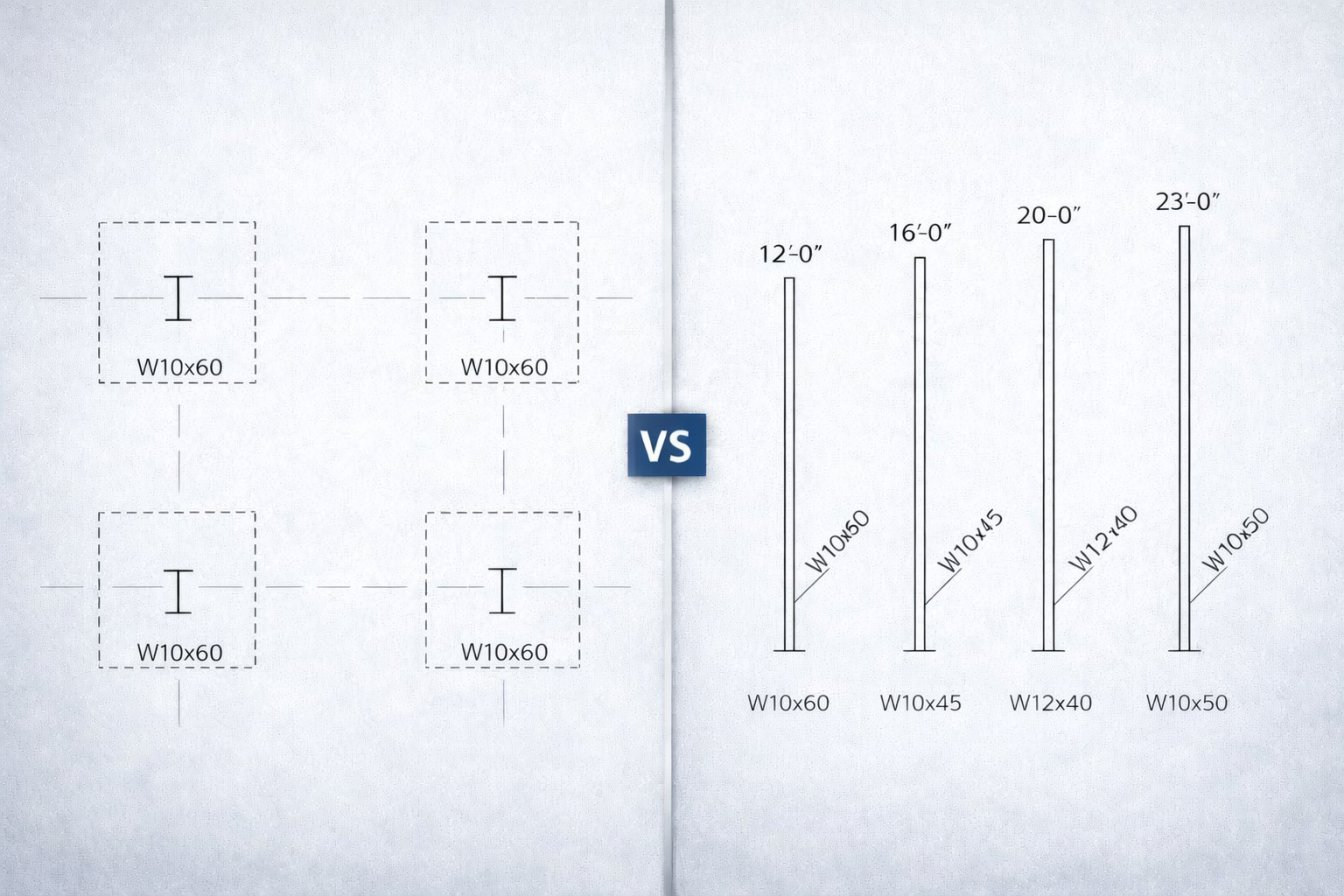
Foundation plans and column schedules
Estimating Column Weight
Estimating the steel mass of columns in a project can be tricky and time consuming. There are three key aspects to doing it properly:
- Finding the columns: Identify column locations on the plan. They often start at the foundation, but not always!
- Identifying sizes: W-shapes, HSS, pipes.
- Determining heights: How tall is each column? (This is the hardest part)
- Foundation plans: Where columns are located
- Foundation details: Embed depth below finished floor
- Framing plans: Top of steel elevations
- Column schedules: Sizes and sometimes heights
- Elevation plans: Floor-to-floor dimensions (structural and architectural)
At Alkali, we've built an automated way to find and size columns — it's in pilot, so your feedback helps. Results should be verified by an estimator!
Two Approaches - One Button
The location and type of column information varies widely. Some larger projects have detailed column schedules with heights already calculated. Others require piecing together information from multiple sheets, even architectural drawings.
With a single button, Alkali works to put the pieces together, identifying the columns, beam types, and heights, and adding them to your takeoff.
Mode 1: Column Schedule with Heights
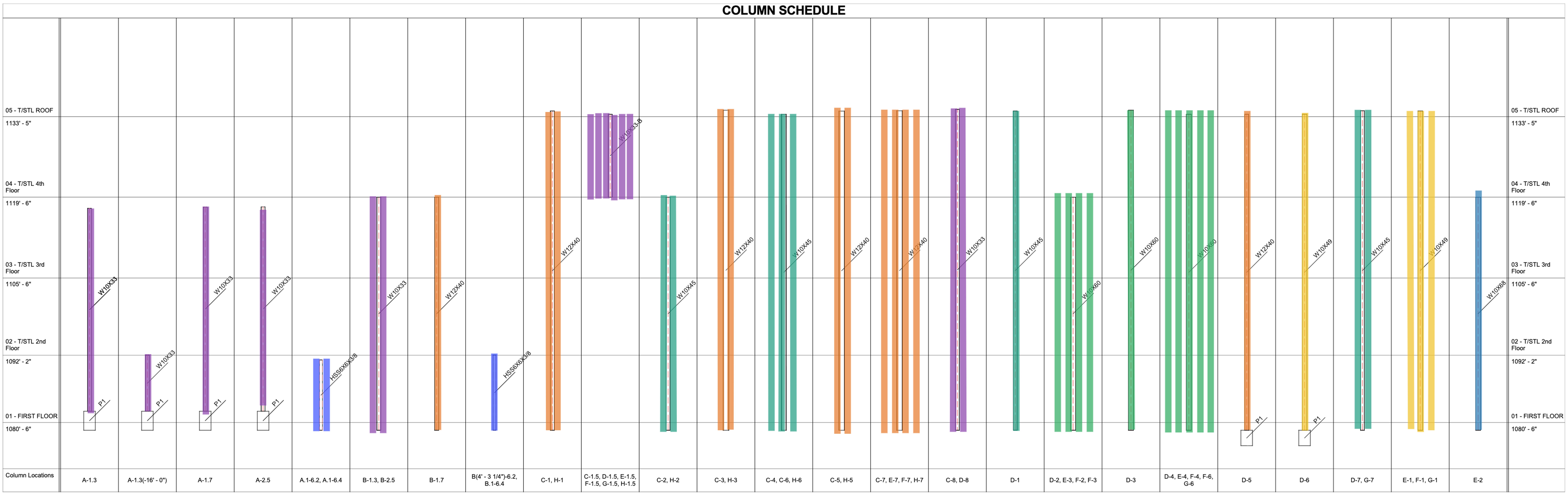
When the drawings include a column schedule that lists sizes AND heights, Alkali can extract column data in one step.
What Alkali Does
- Finds relevant column schedules: Locates column schedules in the drawings that include both size and height information.
- Scans the column schedule: Identifies column marks and their corresponding heights and sizes directly from the schedule.
- Calibrates a scale: Determines an absolute scale from the drawing to accurately measure column heights.
- Extracts steel shapes: Recognizes the structural section type, such as W-shapes or HSS tubing, from the schedule.
- Detects multiplicity: Finds and double-counts marks that appear in multiple locations (e.g., annotations found at both D-7 and G-7 will both be included).
What You Get
These new columns appear in your main steel takeoff table alongside beams and bracing, and can be edited or deleted just like any other annotation.
Mode 2: No Column Schedule (or No Heights)
Many projects have column schedules (we'd call them column tables) that only show steel shapes, but not heights. Or they have no schedule at all, with column sizes called out directly on the plan. To handle the variety of cases here, Alkali can dynamically search and scroll around the document to piece the relevant information together.
What Alkali Does
- Scan foundation and framing plans: Alkali checks every plan — foundation, mezzanine, each floor, roof, even pop-up roofs — to spot all your columns. It look across all the drawings to see which columns show up on which levels so nothing gets missed.
- Find floor elevations: For each foundation or framing plan, Alkali reads elevation notes and callouts from the drawings themselves, like “foundation = 100'-0” or “roof = 129'-4”.
- Calculate heights: Once we know where each column shows up, we can figure out how tall it needs to be by comparing elevations the column exists on.
- Elevation markers: TOS (Top of Steel), BOD (Bottom of Deck), FFL (Finished Floor Level)
- Building sections: Architectural sections showing floor-to-floor heights
- Foundation details: Show embed depth below finished floor (often 6"–12")
Alkali Platform
Column detection joins our growing suite of automated takeoff tools:
- Beam Scanner: Detect and measure beams on framing plans
- Real-time Collaboration: Work with your team on the same takeoff
- AI Chat: Ask questions, search drawings, understand details
Reach out to founders@alkali-eng.com to learn more, or try it below: